 By
By 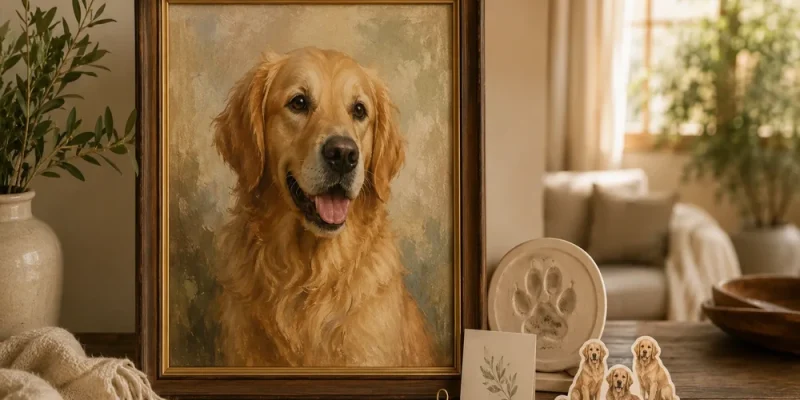
The artwork proof arrives, and the first impression is encouraging. The colors look appealing and the pet’s face seems familiar. Before you approve it, though, spend a little time checking the image against your reference and the options you actually selected. A polished presentation can make a small naming error or a missing marking easy to overlook.
Reviewing a custom pet portrait does not require artistic training. It requires a clear comparison and focused notes. Work from the complete composition toward the individual details, and keep the artwork review separate from questions about the physical order. You will give more useful feedback without inspecting every pixel as though it were a finished print.
Confirm what the proof is asking you to approve
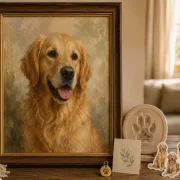
Read the message accompanying the preview. Check whether it shows artwork only, a product mockup, or another stage in the provider’s process. A picture displayed inside a frame illustration is not necessarily confirmation of the exact frame you ordered.
Keep the original reference and your order choices nearby. These provide separate checks: the photograph helps with likeness, while the confirmation helps with pet count, size, format, and any selected customization. Do not assume all of that information appears inside the proof image.
Pawfolio Art describes its portrait workflow through its artwork proof and ordering process. Review the applicable current instructions before responding, especially if you are comparing them with a different kind of personalized product. Different products can use different review stages.
If you are unsure what approval covers, ask before approving. A question about the selected frame or delivery belongs in the order discussion; it should not be disguised as a visual revision request.
Look at the complete image first
Open the proof at a size that lets you see the whole composition. Check whether the subject is placed as expected and whether the overall presentation matches your selected design. Notice any element that immediately pulls attention away from the pet.
Look around the edges. Are ears, paws, or another requested feature cropped unexpectedly? Does the arrangement give the face enough room? If the design intentionally uses a close crop, compare it with the example and your brief rather than assuming a fuller body should appear.
For a two-pet image, review the relationship between the animals before enlarging either face. Check the pet count and whether both are readable. An overall spacing concern is different from a small marking correction and should be described separately.
This first pass keeps the review connected to the picture you will actually see. Beginning with tiny details can make it harder to recognize a more important issue in the overall arrangement.
Compare the likeness with the main reference
Place the reference and proof side by side if your device allows it. Examine the features that make the animal familiar, such as ear shape, eye spacing, muzzle proportions, and distinctive markings. Focus on what the photograph can genuinely show.
Do not expect a stylized portrait to reproduce every photographic texture. The relevant question is whether the selected treatment retains the identifying details you asked to keep. A changed coat patch may matter more than a differently rendered individual strand of fur.
Check the expression as well. If you selected a quiet closed-mouth photograph, an invented open-mouth smile may not reflect the intended image. Describe that difference rather than simply saying the artwork lacks personality.
For custom dog portraits, a clearly labeled additional photograph can help verify a feature hidden in the main reference. Explain why you are providing it. Do not send new images from several life stages without saying whether you still want the original appearance represented.
Inspect included text and orientation separately
If the selected design includes a name or other wording, read it deliberately rather than letting your eye skim it. Compare the spelling with what you submitted. Check punctuation and capitalization when those choices matter to you.
Verify which way an identifying marking appears. A mirrored reference can make a familiar patch look plausible on the wrong side. If there is uncertainty, refer to the actual file and describe the feature’s location clearly instead of relying on an ambiguous left or right instruction.
Check that the intended orientation is consistent with the chosen product. A vertical artwork image and a horizontal room mockup can be easy to confuse when several files arrive together. Ask which is the approval image if the message does not make that clear.
Do not add wording at this stage simply to use empty space. A revision should address a real preference or error, and text changes may depend on the selected product’s options. Confirm feasibility rather than assuming every requested addition is included.
Write revision notes someone can act on
Combine your concerns into one organized message. Identify the main issue, describe the requested change, and point to the relevant reference. “Please keep the dark patch above the eye as shown in photo one” is more useful than “It needs to look more like him.”
Separate corrections from preferences. A misspelled name is an accuracy issue. A wish for a quieter background is a presentation preference. The distinction helps explain your priorities without making every request sound like an error.
If you use an annotated image, keep the annotations limited and explain them in words. A circle around the muzzle is not enough to say whether you want a shape, color, or expression adjusted. Avoid covering the very feature you are asking the maker to compare.
Keep the selected design in mind. A proof review is not necessarily an opportunity to replace a portrait concept with a completely different scene. Ask what changes are possible before planning an extensive redesign or assuming it carries no additional conditions.
Make a final pass before approval
After revisions, compare the latest proof with your original notes. Check that the requested changes were made and that an unrelated detail was not unintentionally altered. Use the latest clearly identified file rather than approving an earlier version from a message thread.
View the whole composition once more, then verify the face and any included text. Check the actual order selection separately for physical size, format, and frame. A screen preview does not establish exact physical scale or guarantee that colors will look identical on every display and material.
If you are still deciding where to commission the artwork, portrait commissions through Pawfolio Art provide a starting point for reviewing available products and their current process. Select the option that fits your needs rather than treating a general homepage example as your order confirmation.
Approval should follow a settled decision, not fatigue after a long message exchange. Keep the reference, latest proof, and final notes together. Once the familiar features and chosen presentation are correct, you can respond clearly without turning the review into an endless search for changes.



Comments